
The Video Mixer
Play video like an instrument
Two decks, a crossfader and a grid of clips. Blend them live, key out colours, add effects, play it from a controller — then record the moment or stream the mix. All in your browser, nothing to install.
The Studio Mixer: deck A on the left, deck B on the right, the program in the middle.
How it works
Think of a DJ mixer, for pictures. Each deck plays a source; the blend combines the two under the crossfader; the result is the program — the one picture your audience sees — and it can go to three places at once.
- 1
Load the decks
Tap pads to put clips on deck A and deck B — or press Camera, Screen or File.
- 2
Choose a blend
Fade for a classic dissolve, Chroma or Luma to key one picture into the other, Add or Screen to glow.
- 3
Perform
Ride the crossfader, swap pads on the deck that's off air, press AUTO or CUT on the beat.
- 4
Send it out
Press REC to clip the program, GO LIVE to stream it, or put it on a second screen.
A whole set of clips, one tap away
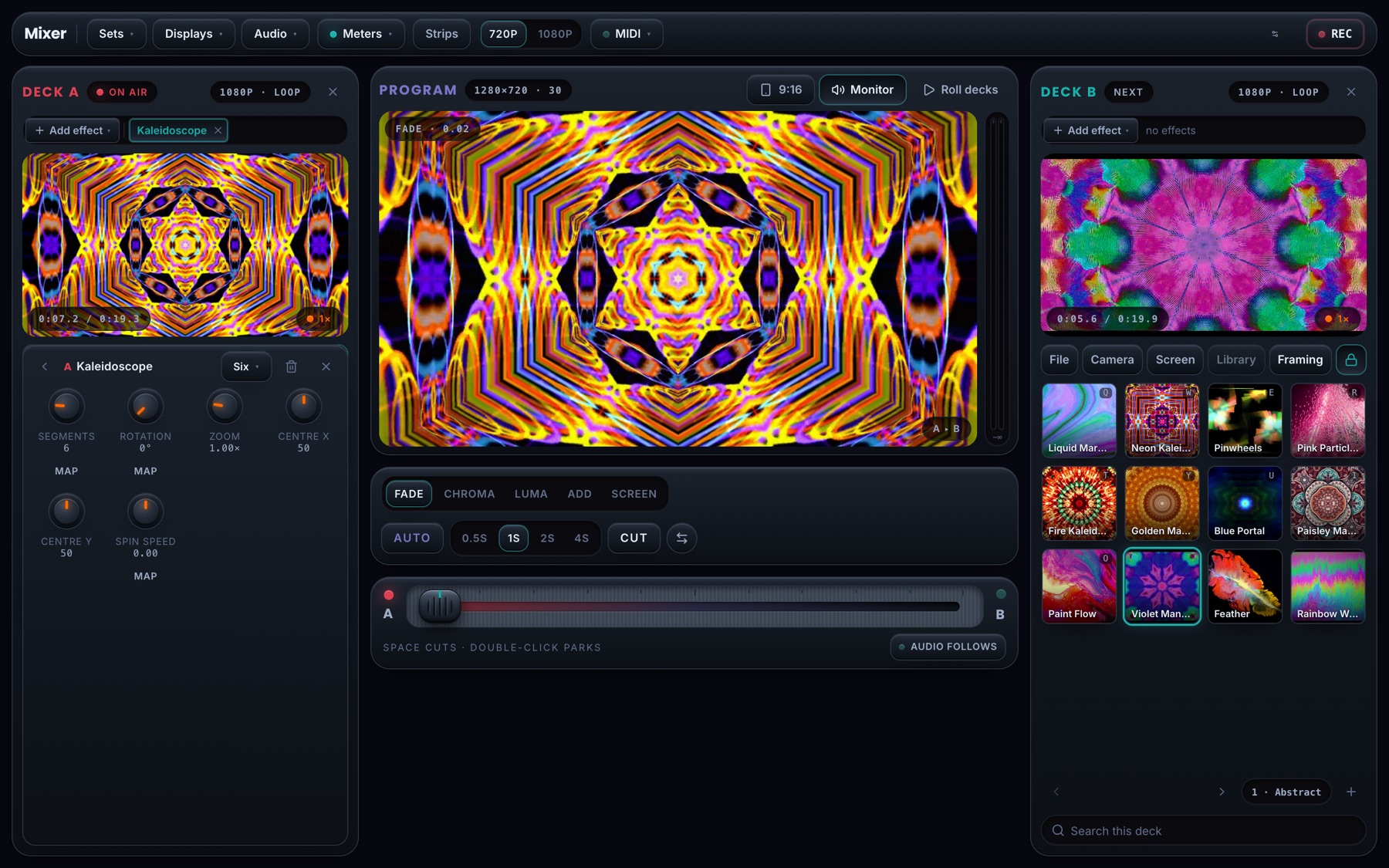
Each deck has its own grid of pads, page after page. Tap a pad and its clip is on the deck — pre-rolled while your finger is still down, so it lands without a gap.
- Loop, play once or ping-pong, each with its own IN and OUT
- Fade a pad in and out instead of cutting
- Keyboard keys for every pad: 1–0 on deck A, Q–P on deck B
- Start from a curated Mixer Set, or build and save your own
Five ways to melt two pictures together
Ride the crossfader by hand, or press AUTO for a timed transition. Change how the decks combine at any moment — the program follows instantly.
- Fade, Chroma key, Luma key, Add and Screen
- Pick the key colour with an eyedropper; tune similarity and softness
- AUTO transitions of 0.5 to 4 seconds, and a CUT on the space bar
- Per-deck framing: fill, fit or stretch, zoom and pan
Effects on each deck, stacked in any order
Add an effect to a deck and it runs on the graphics chip before the blend, so the deck preview and the program both show it. Map any effect control to a knob.
- Kaleidoscope, Mirror, Smooth motion blur, Psychedelic, Colour shift and Tone change
- Presets for each, and controls you can drag or map to MIDI
- Chain several on one deck and reorder them
A real audio desk, and sound that follows the fade
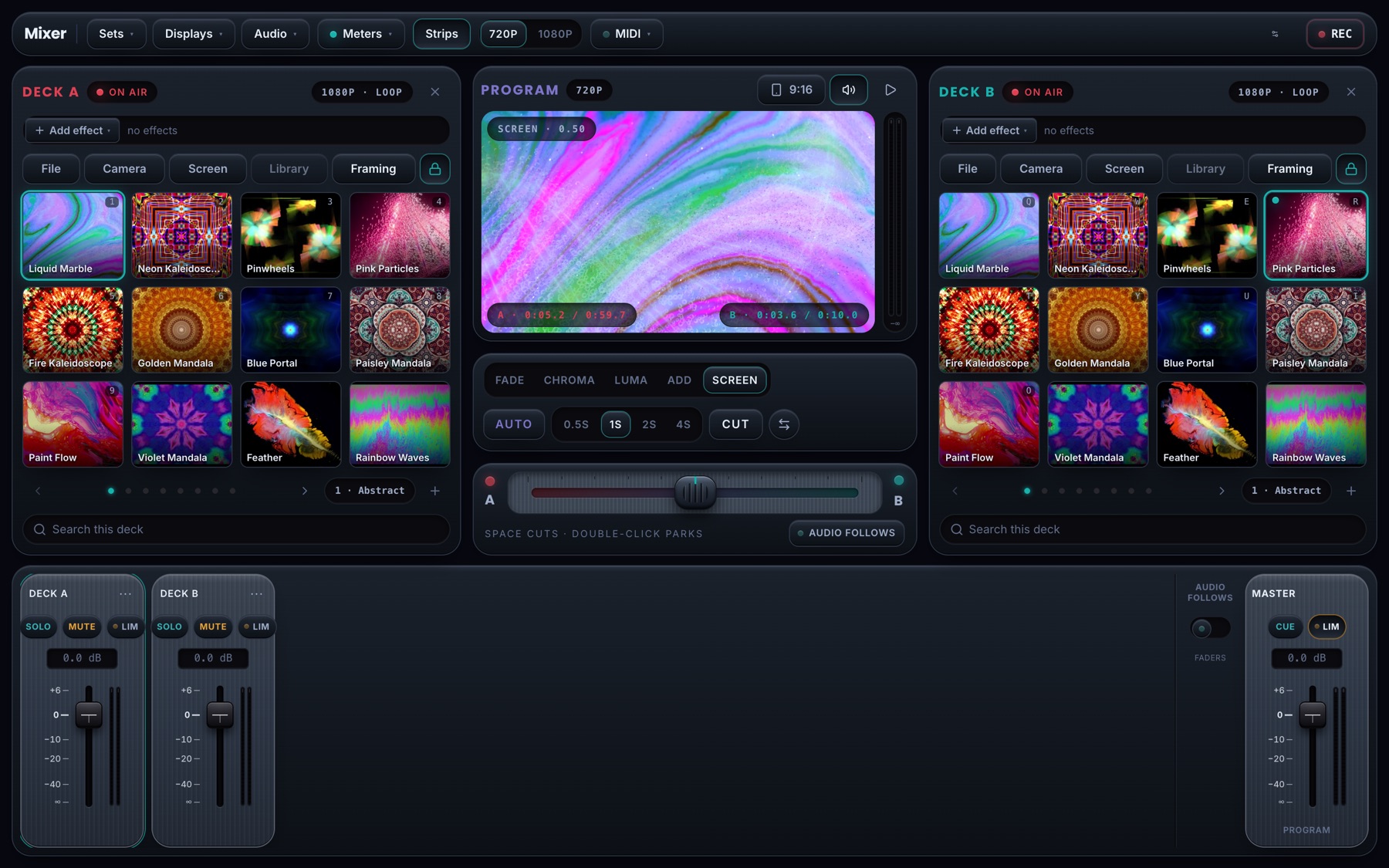
Every source gets a channel strip with a fader and a meter. Turn on Audio follows and the crossfader moves the sound with the picture.
- Solo, mute and a limiter on every strip; a master limiter on the program
- Add microphones and line inputs alongside the decks
- Voice ducking: music dips while you talk
Clip the best moments while you play
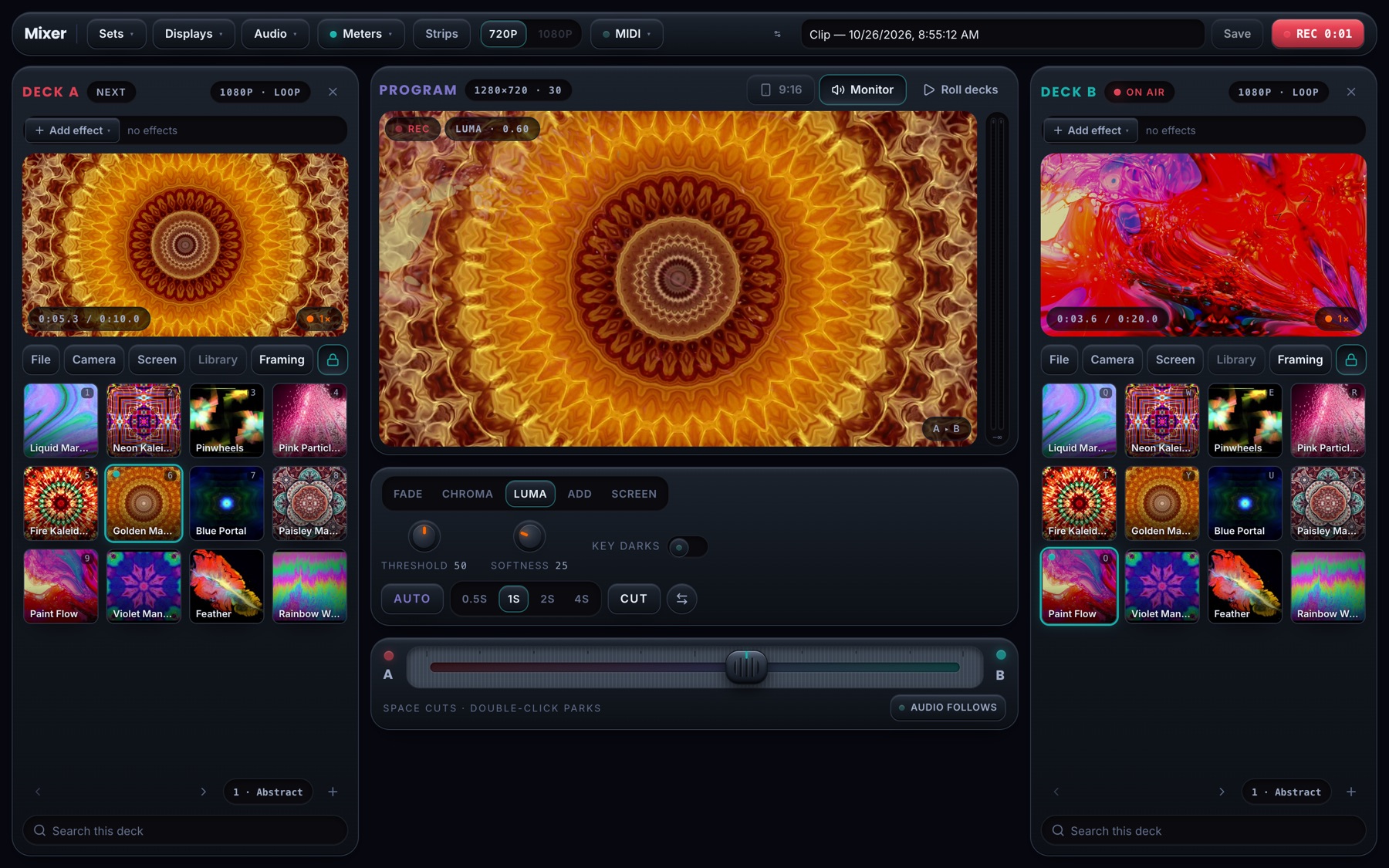
Press REC and the program is recorded as you perform — the mixed picture and its sound. Stop, name it, and it goes to your gallery with a share code.
- Landscape 16:9, plus a vertical 9:16 crop for Reels, Shorts and TikTok
- 720p, or 1080p on machines that can hold it
- Save a take to your gallery, or straight to your device
Play it from a controller
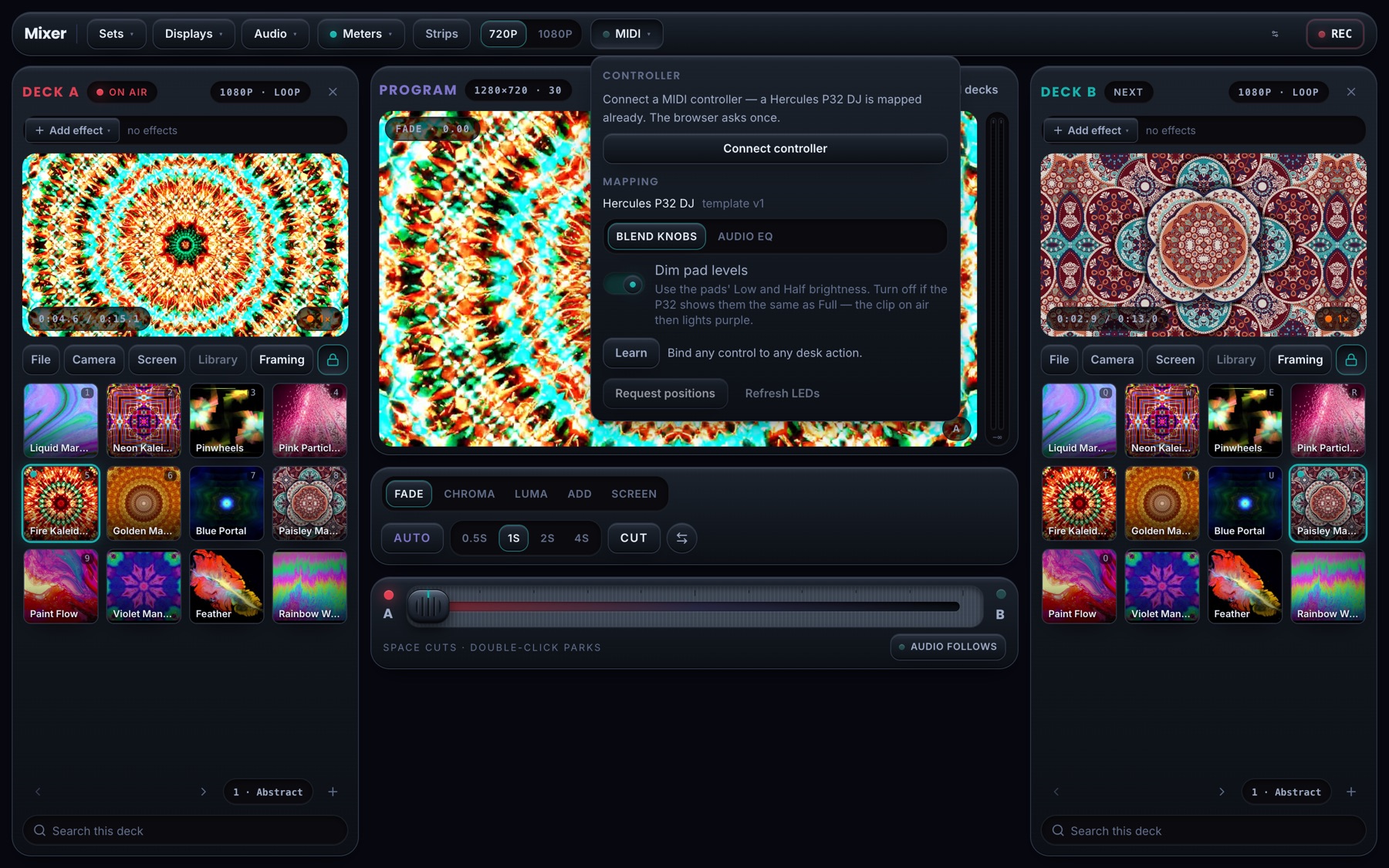
Plug in a MIDI controller and the desk is an instrument. The crossfader is the crossfader; the pads are the pads.
- A ready-made template for the Hercules P32 DJ
- MIDI Learn for anything else
- Lights on the controller follow what's on air
Go live in one tap
Stream the program to your Collectivision Live page, or to your own WHIP or RTMP server. The desk watches the connection and tells you the moment it drops.
Program on a second screen
Open the program full screen on a projector or a venue TV, or show it on a smart TV with a stage code, while you play from the laptop.
Built for the whole show
Graphics resets, stalled clips and network blips are recovered without you touching anything, and a reload resumes the desk exactly where you left it.
Try it right here
This is the real Mixer, running in your browser. Drag the crossfader, switch the blend, load your own camera or a file into either deck, and record the mix — nothing you record is uploaded.
—
Clip the moment
Records the program feed on your machine and hands you the file. With an account, the same button lands the clip in a shareable gallery.
Broadcast the mix
GO LIVE
In the Studio this button publishes the program feed straight out of the browser over WHIP, or through an RTMP relay to any destination. It needs an ingest target, so it comes with an account.
See the plans →—
crossfade · space to cut · double-click to park
classic A/B dissolve — ride the fader.
Questions
Do I need to install anything?+
No. The Mixer runs in a current Chrome, Edge, Safari or Firefox on a laptop or desktop, and on a tablet. Every frame is blended on your own graphics chip with WebGL2, so nothing is uploaded while you play. Collectivision Studio, our desktop and mobile app, runs the same desk.
What can I put on a deck?+
Clips from your Collectivision library, files from your computer (MP4, MOV and WebM, plus HAP for heavy VJ material), a camera, or a shared screen or window. Each deck has a grid of pads, so a whole set of clips is a tap away.
What does it cost?+
You can try the real desk free, right here on this page. To play it with your own clips in Studio, the Mixer comes with every paid plan, starting with Basic at $5 a month. Pro and Advanced add Collectivision Cloud — a library for your clips, a gallery for your takes — and live streaming of the mix.
Which MIDI controllers work?+
The Hercules P32 DJ has a ready-made template: the crossfader is the video crossfader and the pads trigger clips on each deck. Any other MIDI controller can be mapped with MIDI Learn — touch a control on the desk, move a knob, done.
Where can I stream the mix?+
To your own Collectivision Live page in one tap, or to any WHIP or RTMP server you choose, which covers most streaming platforms. You can also put the program on a second screen — a projector or a venue TV — while the desk stays on your laptop.
What happens if something goes wrong mid-show?+
The desk is built to keep going. If the graphics chip resets (a laptop waking from sleep, a driver hiccup) the program comes back by itself; a clip that stalls on a slow connection is nudged back into play; a dropped broadcast is caught and offered a reconnect; and a reload brings back the decks, the blend and the effects where you left them.
Bring your visuals to the stage
The Mixer comes with every plan from Basic at $5 a month. Pro and Advanced add a cloud library for your clips, a gallery for your takes and live streaming of the mix.